AppJuice is a local-first home for private AI tools. Describe what you need in plain language, let it brew a first working version, keep tuning it with AI — and share it when it's ready.
macOS desktop preview available now · Windows & Linux coming soon
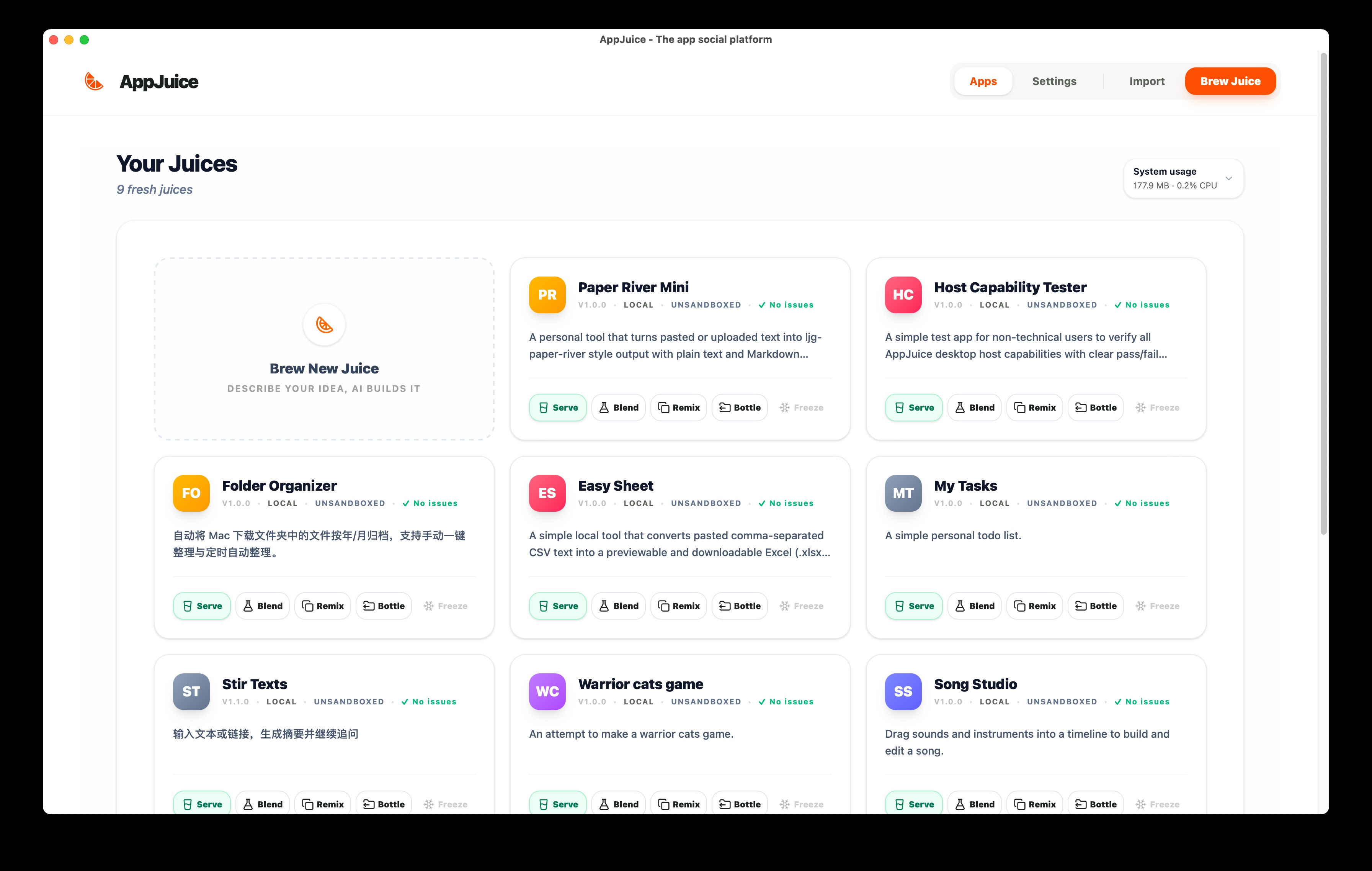
Most AI builders sketch an app and wave goodbye.
AppJuice is built for the whole loop — brew it, tune it, use it, share it.
AppJuice is not trying to be another cloud AI code generator. It's a local-first home for the private, personal tools that live on your machine and in your real work.
Your juice stays on your machine.
Apps, documents, and chat history live on your own disk — not on someone else's cloud. The only thing that leaves is whatever you choose to send to the AI providers you configure.
Folders, documents, desktop — not just demos.
Apps can read local files, watch folders, write outputs next to the originals, and use tools that touch your system. Built for real workflow, not a sandbox playground.
No vendor lock-in on the model layer.
Plug in Anthropic, OpenAI, Google, Bedrock, Mistral — or point it at a local model running on your own machine. Switch providers any time, per session if you want.
No bouncing between builder, host, and runtime.
The app is generated and the app runs, in one home. Want to change something? You're already there. No redeploy, no new project, no lost state.
Optional AI capabilities, agent recipes, and tool scaffolding.
AppJuice gives apps ready-to-use building blocks for AI features when you want them — from model-powered actions to runtime-agent patterns and custom tools. But an app can also be a completely normal app with no AI at all.
Working source + a prompt that re-grows it.
Export the working app along with a recipe distilled from the final version. The next person gets something they can run and keep tuning — not a screenshot, not a SaaS login.
AppJuice shines on the quiet, personal tools you keep wishing existed. A few examples of the kind of thing it is unusually good at.
Or describe your own idea — AppJuice brews the first version in a couple of minutes.
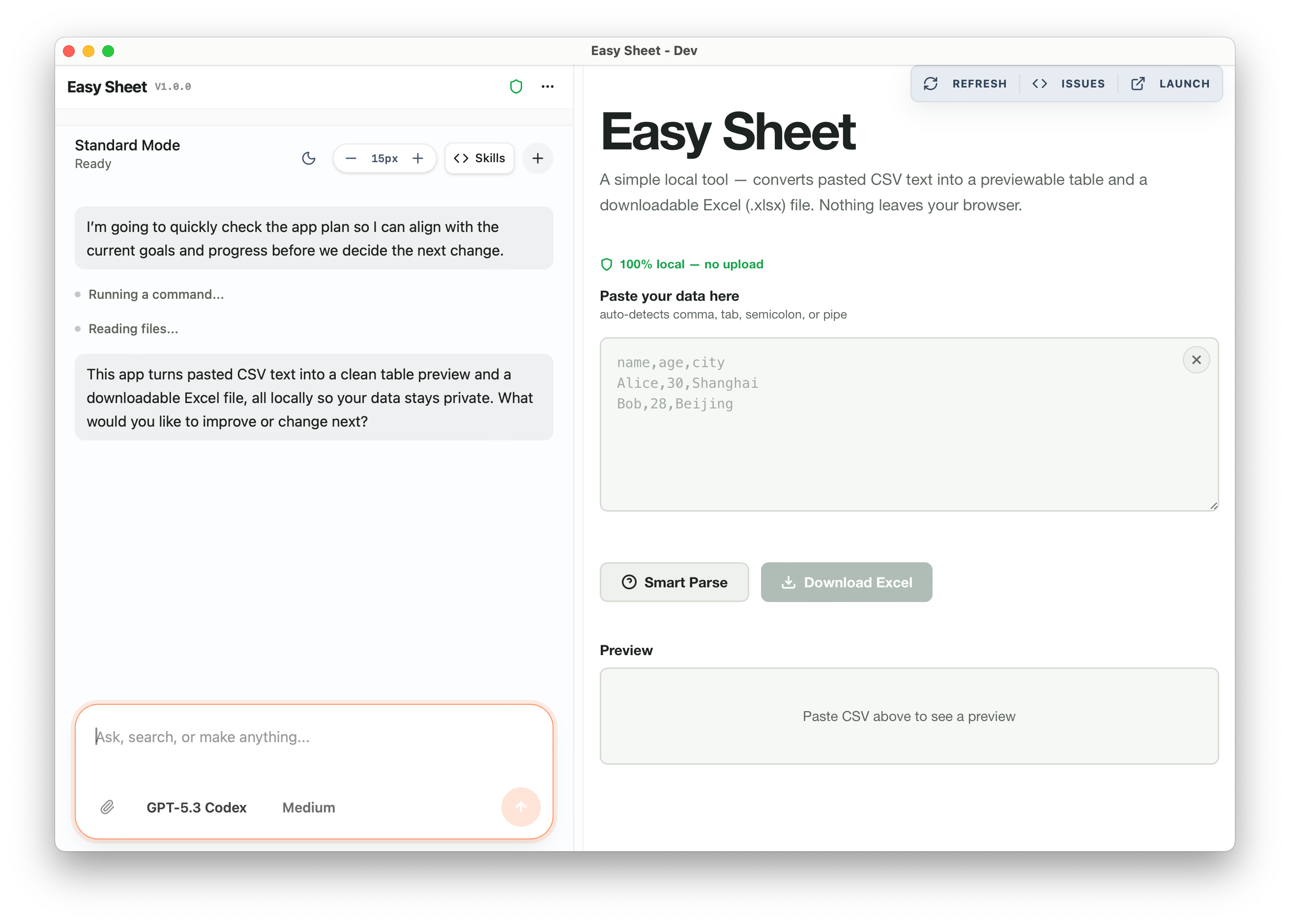
Every app is generated as real source — HTML, CSS, a little JavaScript, an agent config, and tool functions. It runs on your computer as soon as it's brewed, and you can keep asking it to change.
You don't need to look at code. In normal use, it stays out of sight by design. But it is still yours — fully exportable, and there if you ever want it.
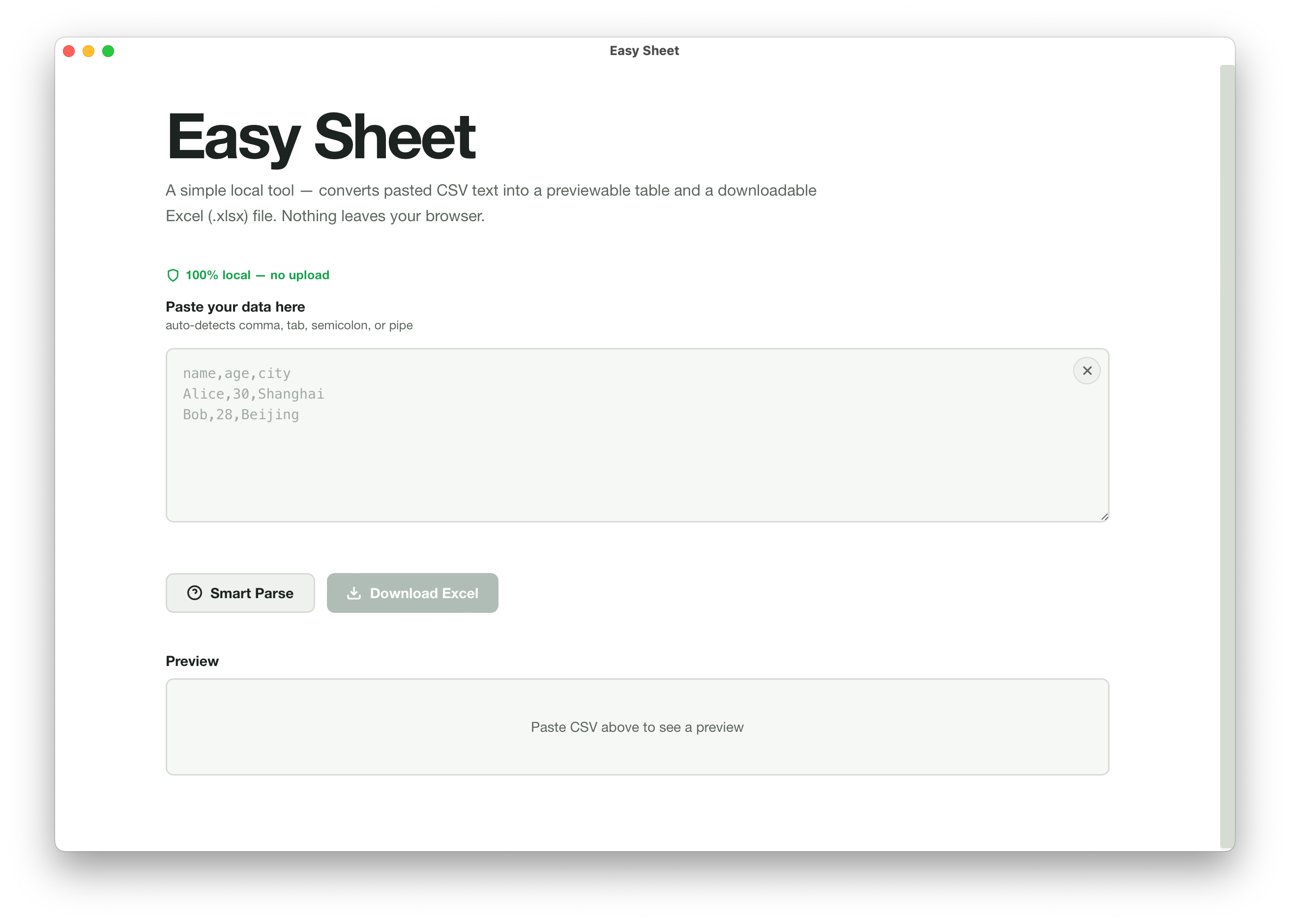
A normal app can stay a normal app. When AI helps, AppJuice gives you ready-to-use building blocks for model-powered actions, runtime-agent patterns, and custom tools.
That means you can start simple, then add AI where it genuinely helps instead of forcing every app to revolve around an assistant.
You don't need to code. You don't need a team. In normal use, the code stays out of sight by design. You just need a clear idea of what would make your week a little smoother.
"I want a CRM that auto-tags leads and nudges me to follow up."
No monthly SaaS fee. Customer data never leaves your laptop. Change it any time your workflow changes.
"I need a tool to help me mark essays with structured feedback."
Student work stays local. Point at a local model and the essays never even reach a cloud provider.
"I want a literature organizer that pulls out key findings from the papers I've already read."
Unpublished drafts and sensitive notes stay on-device. Add your own tools to shape it around your field.
"Juggling drafts, assets, and multi-platform posting is eating my week."
A custom workflow instead of a generic SaaS. Shape it until it fits exactly how you actually work.
"I want a family budget tracker that doesn't demand I upload every receipt to a server."
Financial data stays strictly on your own device. The tool can read and write files you already have.
"I want to prototype AI tools fast — but keep the runtime scaffolding for real use."
Process isolation per app. Dual-agent setup (coding + runtime). MEMORY.md, tools/, agent config on disk.
There are great tools for chatting with AI, coding locally, spinning up cloud apps, and wiring together no-code workflows. AppJuice is for the slice none of them quite fit — private, local, keepable tools ordinary people can keep using and improving.
| What you want | ChatGPT / Claude | Codex / Claude Code | Replit / Bolt.new / Lovable | Airtable / Zapier | AppJuice |
|---|---|---|---|---|---|
| Made for non-technical people | Fine for chat | Programmer tools | Prompted, but builder-style | Simple, but fixed-shape | Yes — plain-language first |
| A tool that stays private on your machine | Cloud | Often local, but dev-first | Cloud | Cloud | Yes — local-first |
| Can touch your own files & folders | Uploads only | Yes — for code work | No | Mostly through integrations | Yes — native |
| Choose AI providers — including local models | One vendor | Depends on setup | Some choice, but platform-managed | Limited choices | Bring your own API keys + local models (Ollama, LM Studio) |
| Build, run, and improve in one place | No runtime | For code projects | Separate host | Yes, but inside their stack | Yes — same home |
| Can add runtime AI patterns and tools when needed | — | No | No | No | Built-in optional scaffolding |
| Share a working app someone else can tune | Share a prompt | Share source / repo | Share a URL | Invite into their workspace | Source + recipe |
| No subscription required | Paid | Usually API or plan costs | Paid | Paid | Free, bring your own keys |
We love all of these tools — they're just aimed at different jobs.
AppJuice is built for real local work, but not on the assumption that apps should get unrestricted access to your machine. The platform keeps those boundaries explicit.
AppJuice is built around AI-assisted app creation and AI-capable apps. But an individual app can still be a completely normal app with no AI features at all.
An app's AI does not begin with unrestricted file or system access. Sensitive access stays locked down by default and expands only when you approve what the app actually needs.
Import and export flows are backed by multiple checks, including file-policy checks, secret scanning, risky command-pattern detection, and higher-level review to catch suspicious behavior before trust is extended.
Short answers to the questions people usually ask before they decide whether AppJuice is the right fit.
AppJuice is a local-first app platform for building and running private AI tools and normal apps on your own computer.
No. You describe what you want in plain language. In normal use, the code stays out of sight by design.
AppJuice itself is built around AI-assisted creation and AI-capable apps, but an individual app can still be a completely normal app with no AI features at all.
By default, an app's AI works inside platform-controlled boundaries. Sensitive file or system access stays locked down until you approve the access it needs.
AppJuice runs layered checks during import and export, including file-policy checks, secret scanning, risky command-pattern detection, and higher-level review before an app is trusted.
Yes. AppJuice can work with cloud providers and local models, including setups such as Ollama and LM Studio.
That remote-access path is planned for a later release. The current public install path is the macOS desktop app.
AppJuice will grow from this public download site into a marketplace for sharing and remixing local-first apps. The first release keeps the existing downloads intact while the app listing and publishing flows are built.
The first marketplace milestone focuses on free app listings, bundle validation, and safe download/import handoff into AppJuice.
Marketplace publishing does not make an app trusted. AppJuice still verifies hashes and runs import scans before install.
Purchases, seller onboarding, and payouts come after the free sharing loop is stable.
Creators will export, scan, and upload app bundles from the local AppJuice app. This website owns accounts, listings, upload authorization, review, and distribution.
The public download is the native macOS desktop build for both Intel and Apple Silicon Macs. Other platforms stay visible but marked as coming soon until they're ready for normal users.
The main AppJuice experience for Mac. Download the native desktop app bundle, open the DMG, and drag AppJuice into Applications.
Windows desktop packaging is in progress. We won't put up a public download until the installer and update path feel solid for normal users.
A native Linux desktop experience is on the roadmap. The public download will arrive once packaging and updates feel solid for normal users.
A later release will let you install AppJuice on a home server, NAS, or always-on mini-PC, then connect to it from other computers through a browser or from the local host app by entering that server address.
The old path — idea, learn to code, write code, compile, host, share — locks out 99% of people from building the tools that would actually help them.
AppJuice rewrites it.
Have an idea → say it → use it → share it.
Private, local, yours.